DISCOVERY WORKBENCH® 3.0 Software – Data Analysis Tools
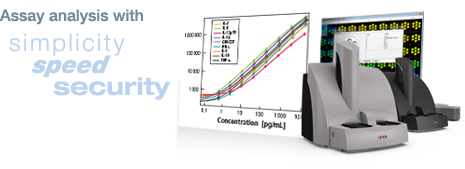
Tracking and analyzing experiments is simple and straightforward with MSD® DISCOVERY WORKBENCH Data Analysis Tools.
With a simple 3-click process, complex data sets can be acquired, analyzed, and stored in a secure plate history database. Quickly generate reports, graphs, tables, and notes that can be shared through PDFs and presented in Power Point or Word documents.
Data can be analyzed further in Excel if desired. DISCOVERY WORKBENCH 3.0 with Data Analysis Tools allows flexibility for users to generate, track, and share
plate layouts and experiment templates across all MSD MULTI-ARRAY® and MULTI-SPOT® plates.
The DISCOVERY WORKBENCH Data Analysis Tools can be installed at the user's desktop for convenient data analysis. User tracking and change control allows experiments to
be published in an unalterable format and assigned to an owner for traceability.
Learn more about DISCOVERY WORKBENCH Data Analysis Tools by contacting Scientific Support or requesting a free 30 day trial to spot the difference yourself in our data analysis software.
Plate Layouts
Experiments
Data Analysis
Grouping of Samples and Tables
Support
Create plate layouts and experimental templates with a color-coded graphical interface plate map representing spot geometries.
Quickly assign sample type (standards, controls, unknowns, blanks) with automatic filling of concentrations and dilutions.
Track plate layouts and share them across desktops and users.
An experiment file combines analyzed data from each plate in the assay with your notes, plate layouts, custom tables, and plots.
Data from multiple plate runs using the same experimental layout can be stored within the same experiment to analyze and compare data across replications of the same experiment.
Includes 4PL curve fitting option.
A 1/y2 weighting function can be enabled to improve curve fitting for assays with a dynamic range of greater than 2 logs.
Plots can be created and customized with a simple drag-and-drop feature.
Tables of multiple standard curves, groups of controls, and groups of unknowns are automatically created.
Calculated concentrations of all wells are generated based on the standard curve and the curve fitting function.
Report percent recovery of standards and controls.
Results (including tables, plate layouts, and graphs) can be copied to Excel, Power Point, or Word. Any excluded data is highlighted in red.
Data is easily exportable for additional data analysis in other programs.
User's Guide
Download the user's manual to the Data Analysis Tools:
If you're in need of software support, please feel free to check out our software FAQs or contact our industry-leading scientific support team. Access to this team is provided complimentary for our customers.